New feature

Get paid for your trainings

Enable online payments with Stripe, sell training sessions directly from your public club page, and let members and guests pay by card — no cash, no manual tracking.
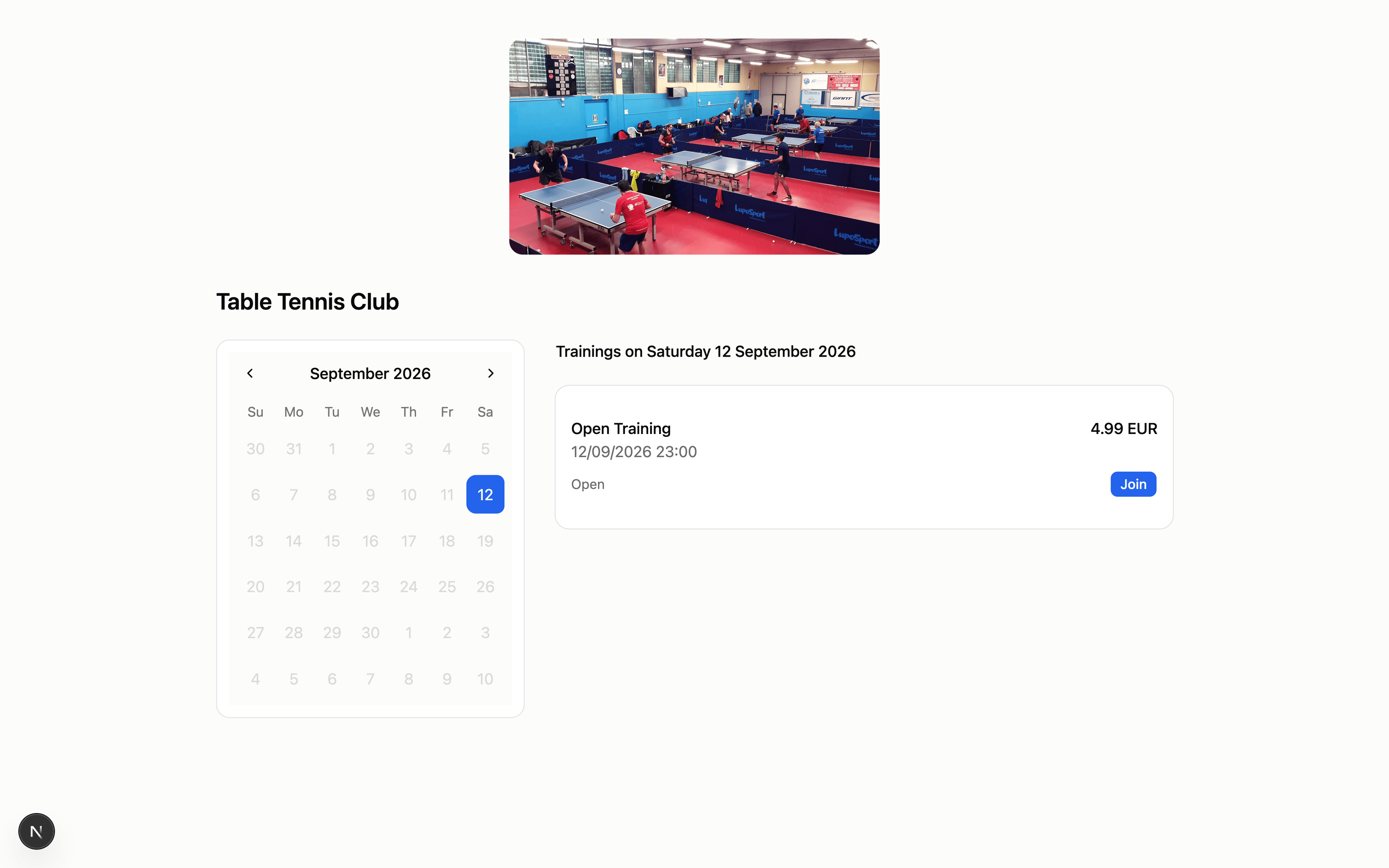
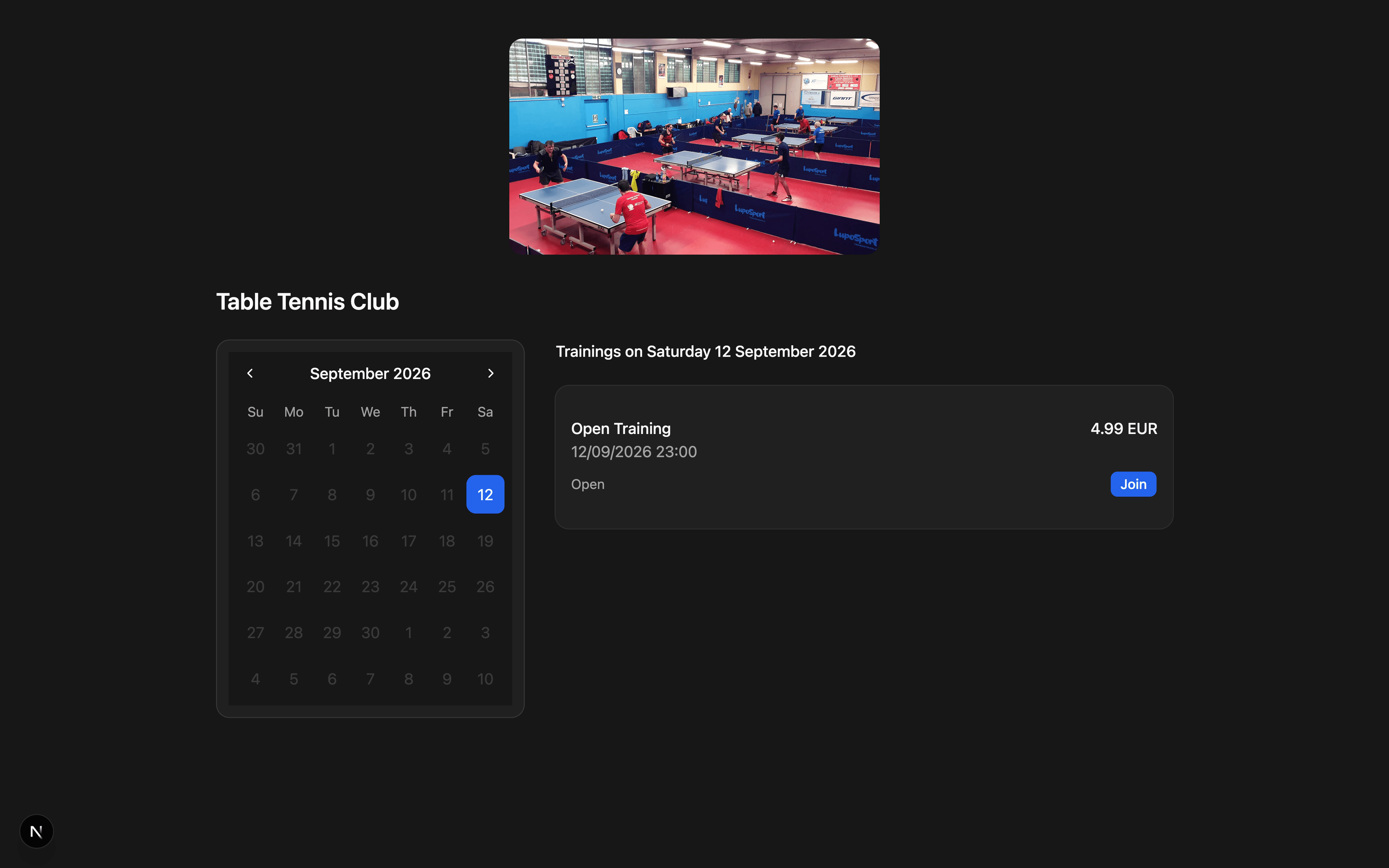
Public club booking page showing a paid training with its price

Stripe Connect in minutes

Connect the club's own Stripe account from settings. Payments go straight to the club, and Stripe handles onboarding, identity verification and payouts.

Paid and free trainings

Set a price per training session. Free sessions keep the instant booking members already know, while paid sessions are sold securely with card payment.

Public booking page

Share a single public link for your club. Members and guests can see the calendar, book a spot and pay online without creating an account.

Refunds and currency

Issue refunds to a single member from the member list in one click, and choose the currency that fits your club.

How online payments work

Start accepting card payments in three simple steps

1

Connect Stripe

Open the payments section in your club settings and connect your Stripe account. Onboarding is hosted by Stripe, so the platform never sees your banking or identity documents.

2

Set prices and publish

Give each training a price and toggle it on the public page. Free sessions stay free, paid sessions show their price, and only trainings open for registration can be booked.

3

Get paid automatically

Members and guests pay by card through a secure Stripe Checkout. As soon as the payment succeeds, the system enrolls them in the training and confirms by email.

Who benefits from online payments

Less cash handling and manual tracking for the whole club

For club administrators

Replace cash boxes, card terminals and manual reconciliations with a single payment history for every training session.

For club coaches

Get paid for special sessions, camps and guest trainings without chasing payments or keeping a separate list of who paid.

For members

Pay for a session in a few taps from the club's public page, receiving a confirmation as soon as the payment goes through.

For guests

Book and pay for a training without creating an account. Guests are enrolled automatically and receive all the details by email.

Online payments comparison

See how TT Club Manager compares to cash and manual methods

FeatureCash/ManualTT Club Manager
Collecting feesCash box, POS terminal and manual spreadsheets
Secure card checkout through the club's Stripe account
Guest bookingsPhone calls, WhatsApp messages and manual entry
Public page with instant, paid enrollment
Payment trackingManually marking who paid and who did not
Automatic payment status for every participant
RefundsCash refunds or manual bank transfers
One-click refunds from the member list
Money handlingClub staff handle cash and keep card data
Payments go to the club's own Stripe account; the platform never holds funds

Common questions

Do I need a Stripe account?

Yes. Connecting is free and takes only a few minutes from the payments section in your club settings. Stripe handles onboarding, verification and payouts.

Does TT Club Manager take a commission?

No. TT Club Manager does not take any cut on your payments. The only fees are the standard Stripe processing fees.

Which currencies are supported?

You can choose the currency that fits your club, including EUR, USD, GBP, CHF, HUF, SEK, NOK, DKK, PLN and CZK.

Can members pay inside the app?

Payments are completed on the club's public page through a secure Stripe Checkout link, which also works from the mobile app.

Can I refund a booking?

Yes. Club owners and administrators can refund a paid booking directly from the member list; the refund is processed through Stripe.

Is card data safe?

Card details never touch the platform. They are collected and processed entirely by Stripe, which is PCI-DSS compliant.

Ready to get paid online?

Enable Stripe payments for your club in a few minutes.

TT Club Manager

Your complete table tennis club management solution

© 2026 TT Club Manager. All rights reserved.